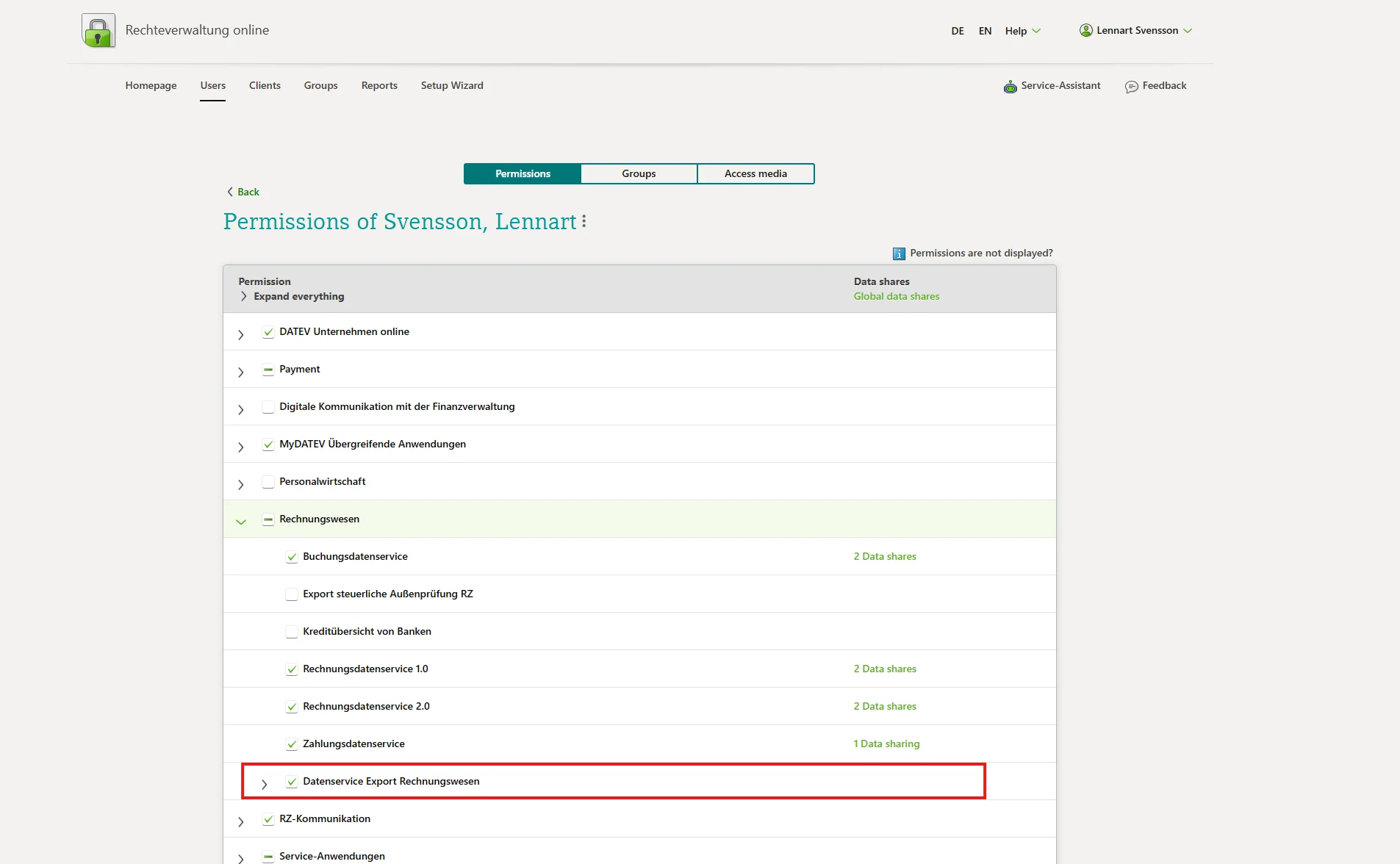
Verify that prerequisites are met
- You have an existing DATEV client (Mandant) and you have created a fiscal year for it
- DATEV Unternehmen Online is enabled
- You have a SmartCard or SmartLogin with access rights for Mandantenregistrierung
Open MyDATEV Mandantenregistrierung
From the client overview, select the client and click “MyDATEV Mandantenregistrierung”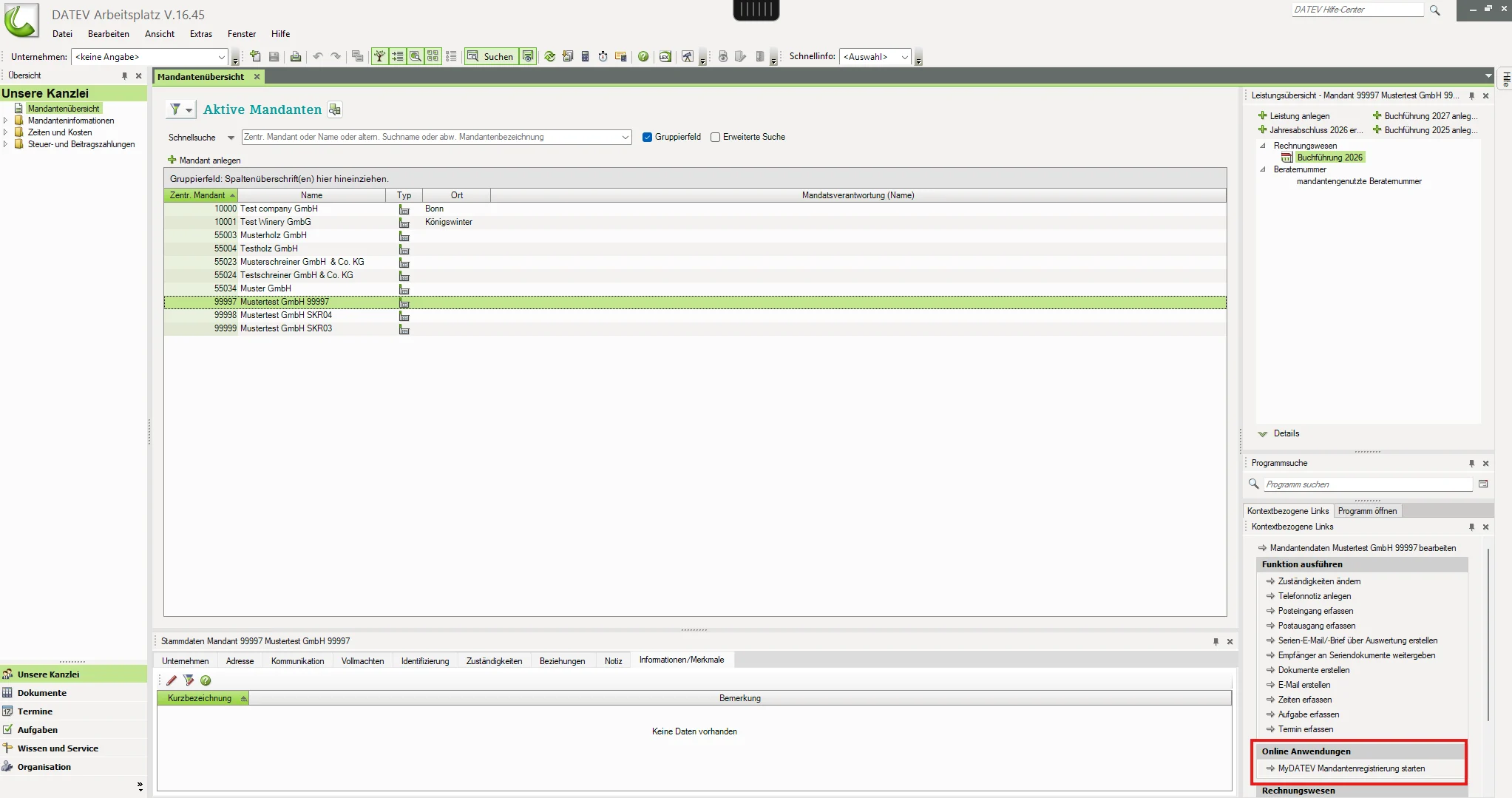
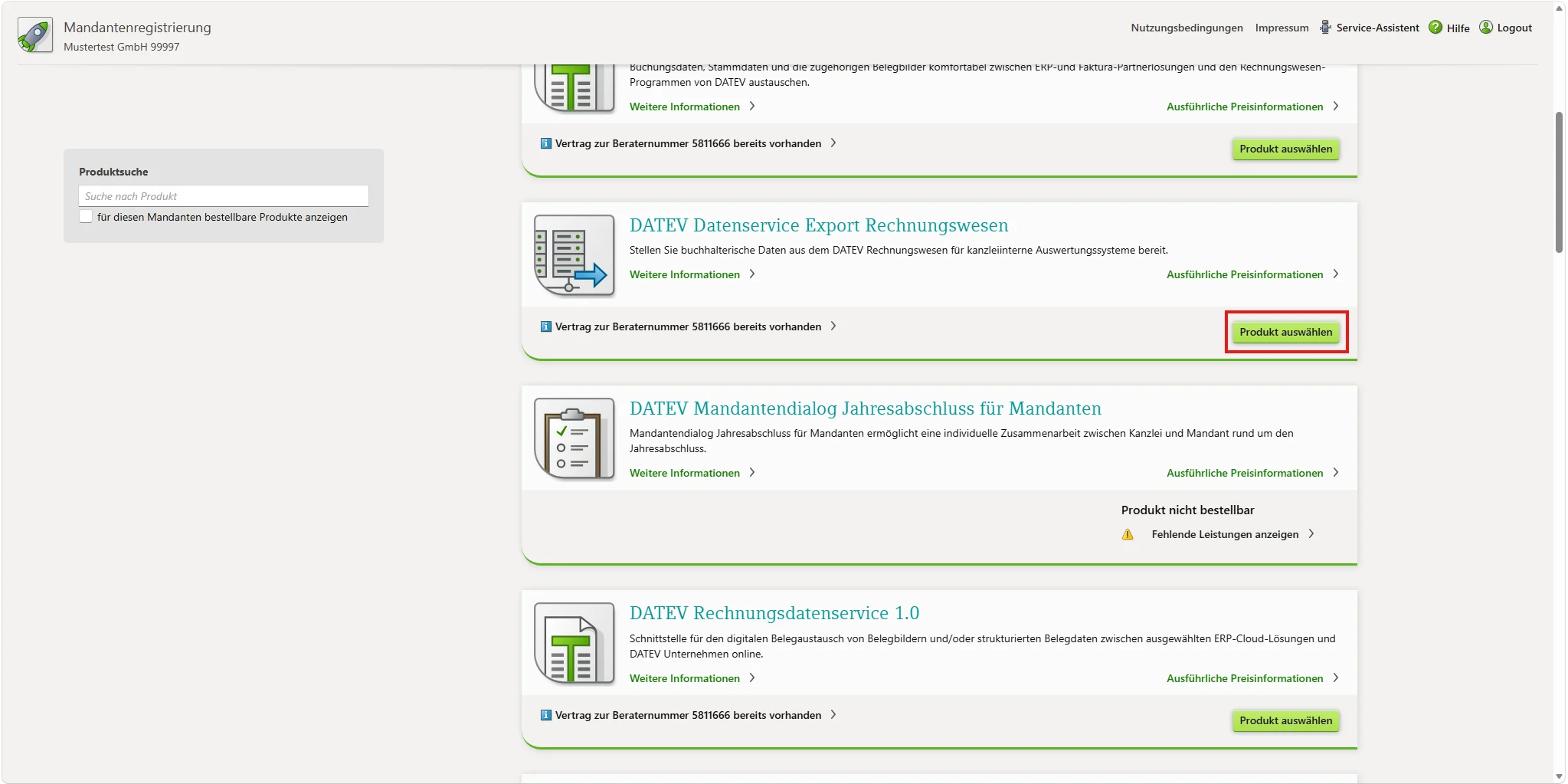
Finalise order
Choose whether to create a new consultant number or use an existing one. Finalise the order.
Assign access rights
- Open DATEV Rechtevewaltung Online
- Select the user, client or group that you want to assign the access rights for ExportdatenService
- Open “Rechnungswesen” and give access to “ExportdatenService”
- Assign the access right to the correct berater number and client number that corresponds to the client (Mandant)